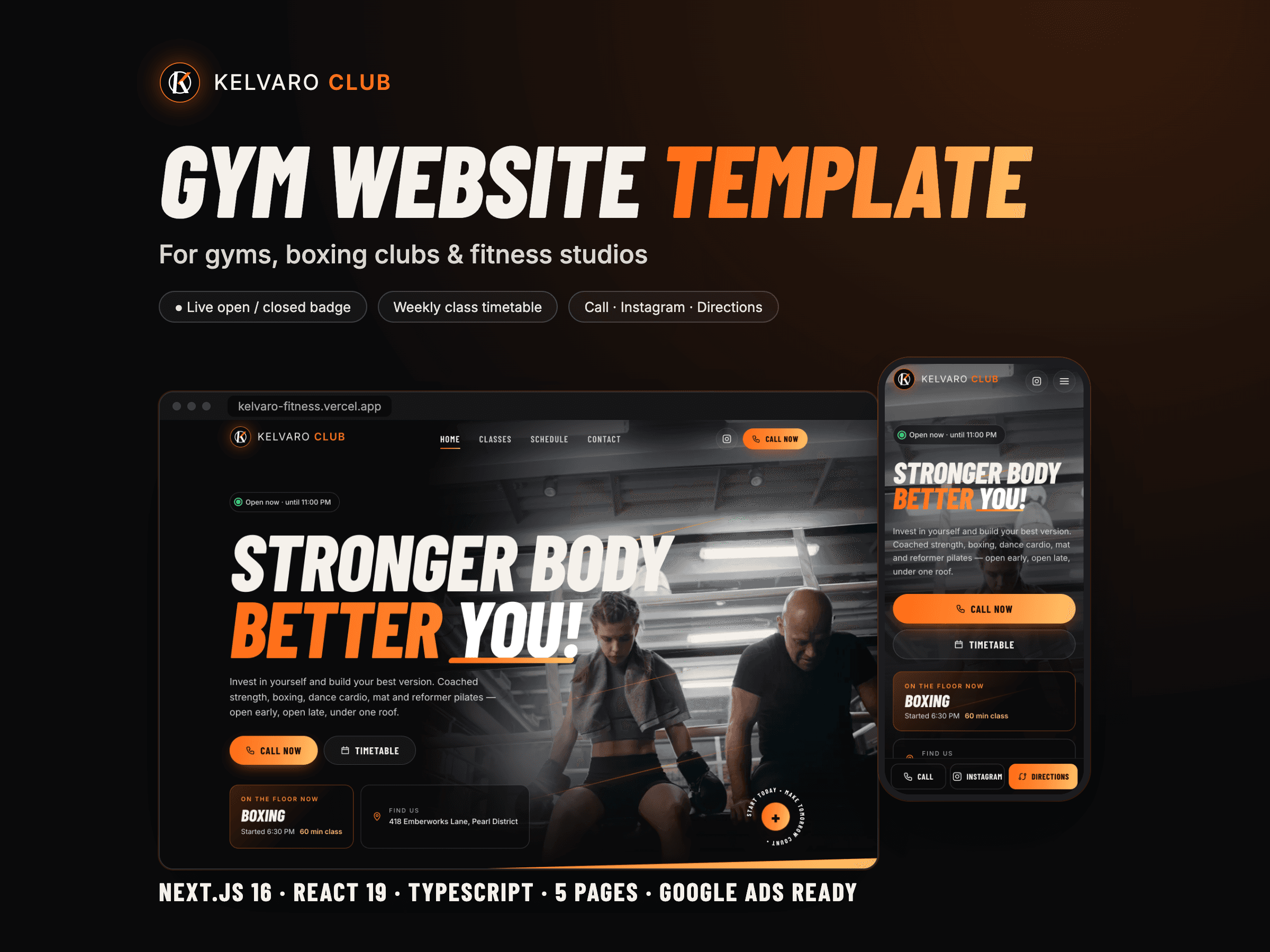
Fitness · Next.js
Kelvaro
A dark, high-energy gym website that knows when the club is open and what's on next, and turns every visit into a call, a DM or a route.
Loading the collection
Preparing the details…SaaS · B2B SaaS
A vertical SaaS website whose product UI actually works: per-unit pricing, an import preview and trial onboarding included.
 Preview / 01
Premium gallery
10 verified previews built from the real template UI and release assets.




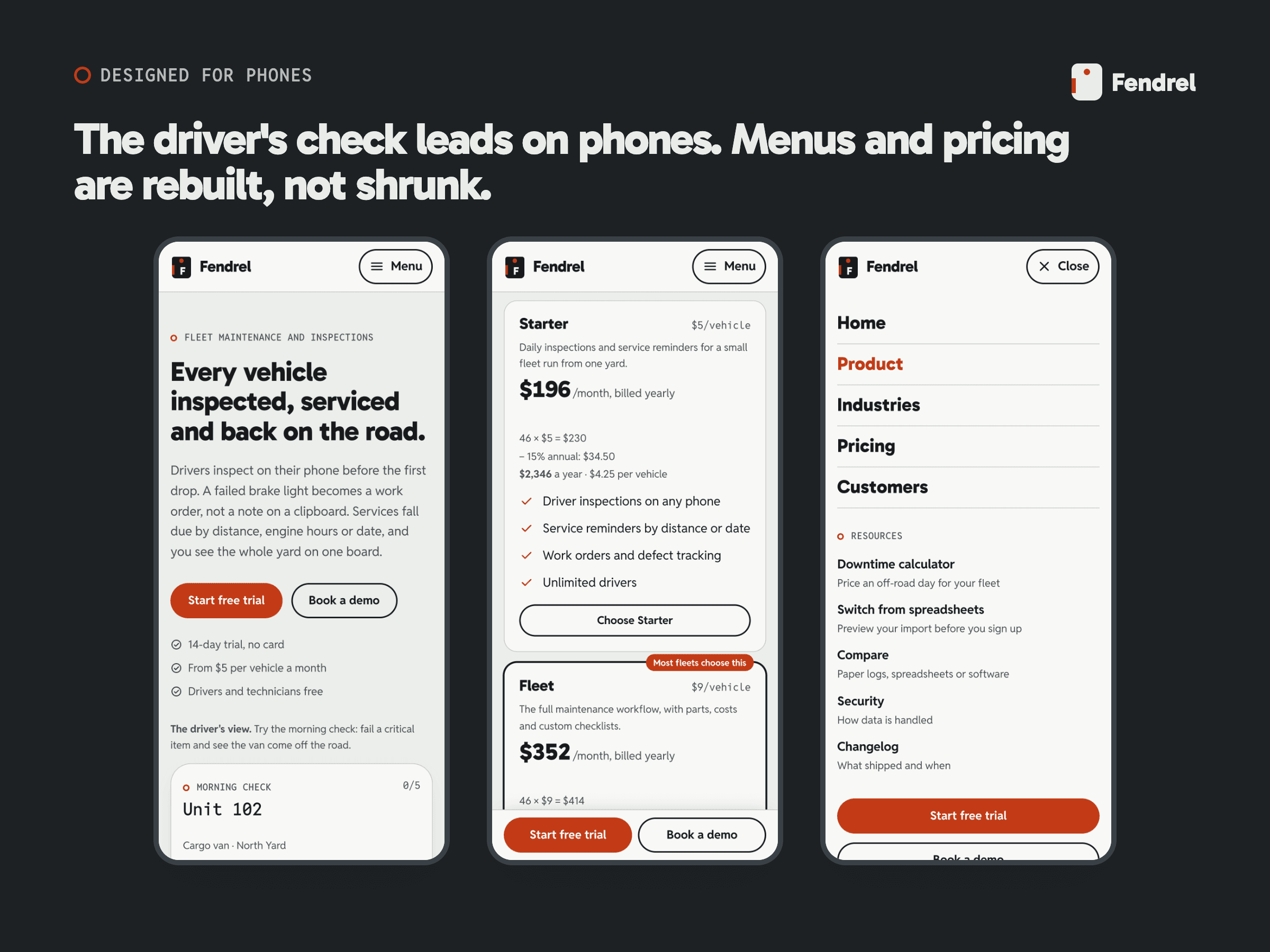
The product
LIVE DEMO: https://fendrel-saas.poyrazn8n.workers.dev
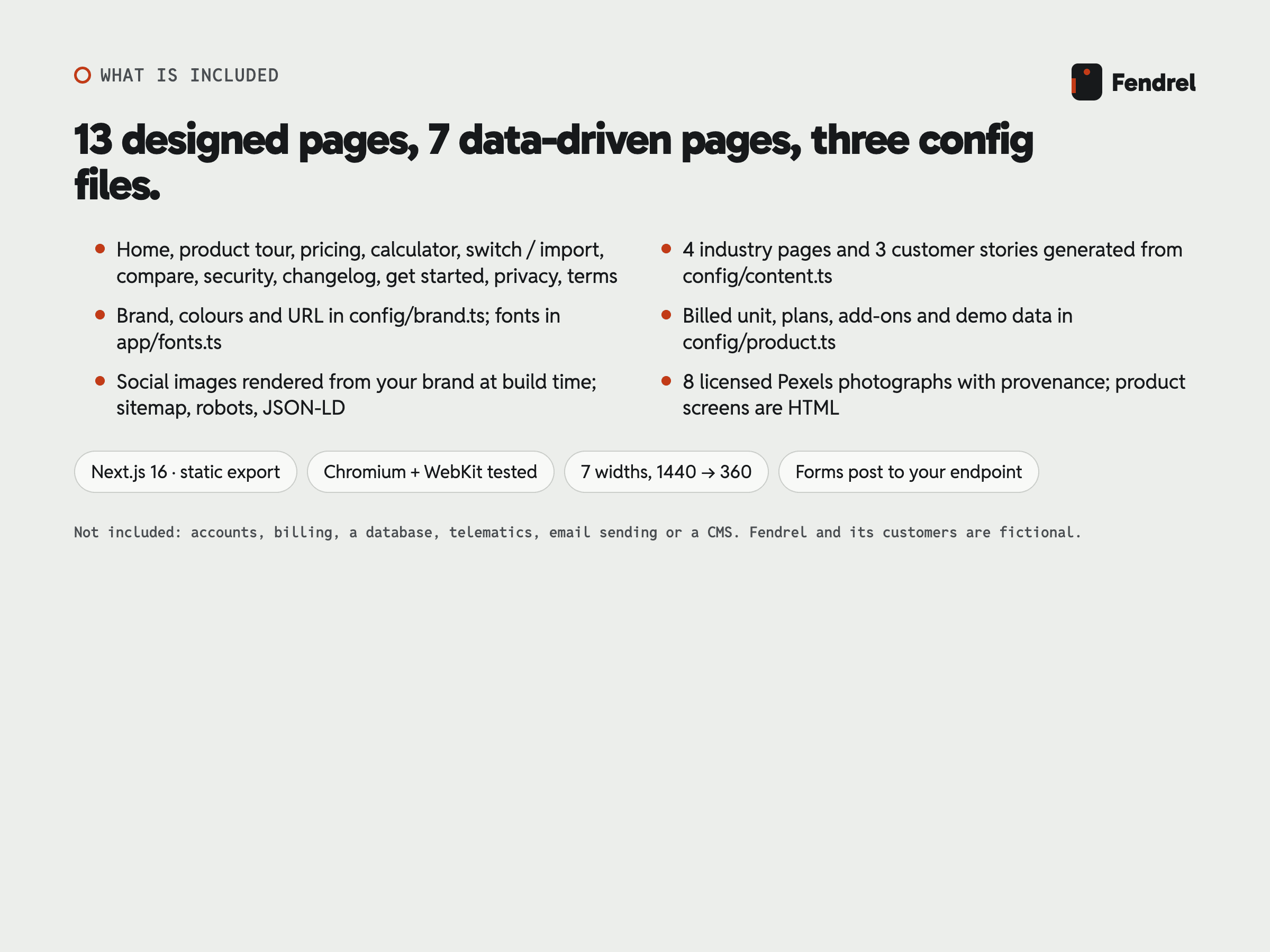
A vertical SaaS website whose product UI actually works: per-unit pricing, an import preview and trial onboarding included. Fendrel · website-template · Next.js source code 15 page designs · 20 demo pages + custom 404 Frontend source template exported as a static site: 13 designed pages plus 7 data-driven pages and a custom 404. No accounts, billing, database, telematics, email sending or CMS are included; the demo-request and trial forms post only to endpoints you configure. Fendrel, its customers, figures and contact details are fictional.
- Founders and product marketers launching the website for a vertical B2B SaaS product that bills per unit (per vehicle, seat, location or asset) - Agencies and freelancers building a SaaS marketing site that needs working pricing, comparison, import and onboarding pages rather than static mock-ups - Teams selling operations software to field, fleet or frontline businesses who want product UI shown as real, recolourable HTML Required skills: Comfortable editing TypeScript configuration files in a Next.js project. Not ideal for: Buyers who need accounts, billing, a database or a working SaaS application rather than its marketing site; Buyers who need a visual page builder or a CMS without editing TypeScript configuration.
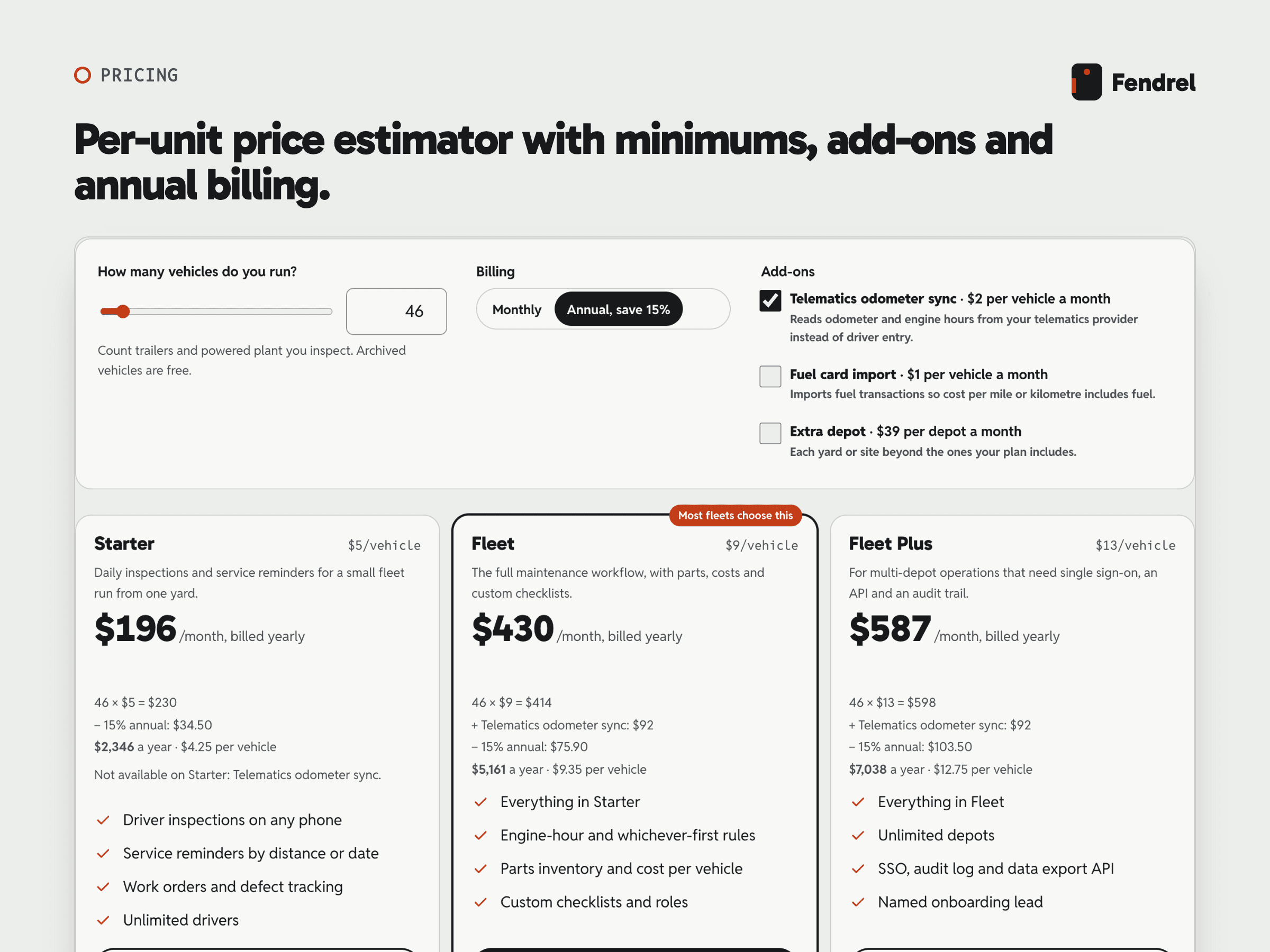
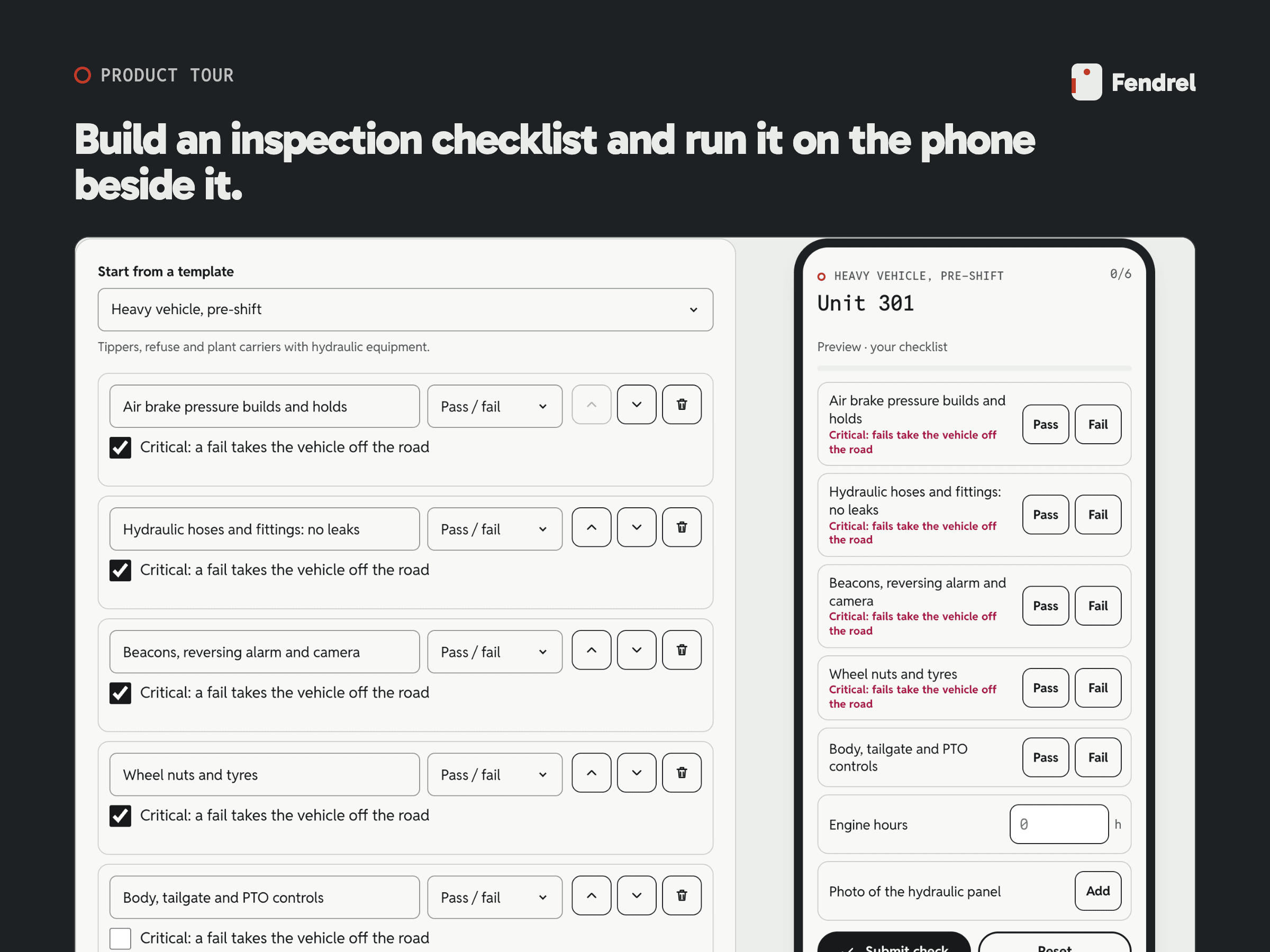
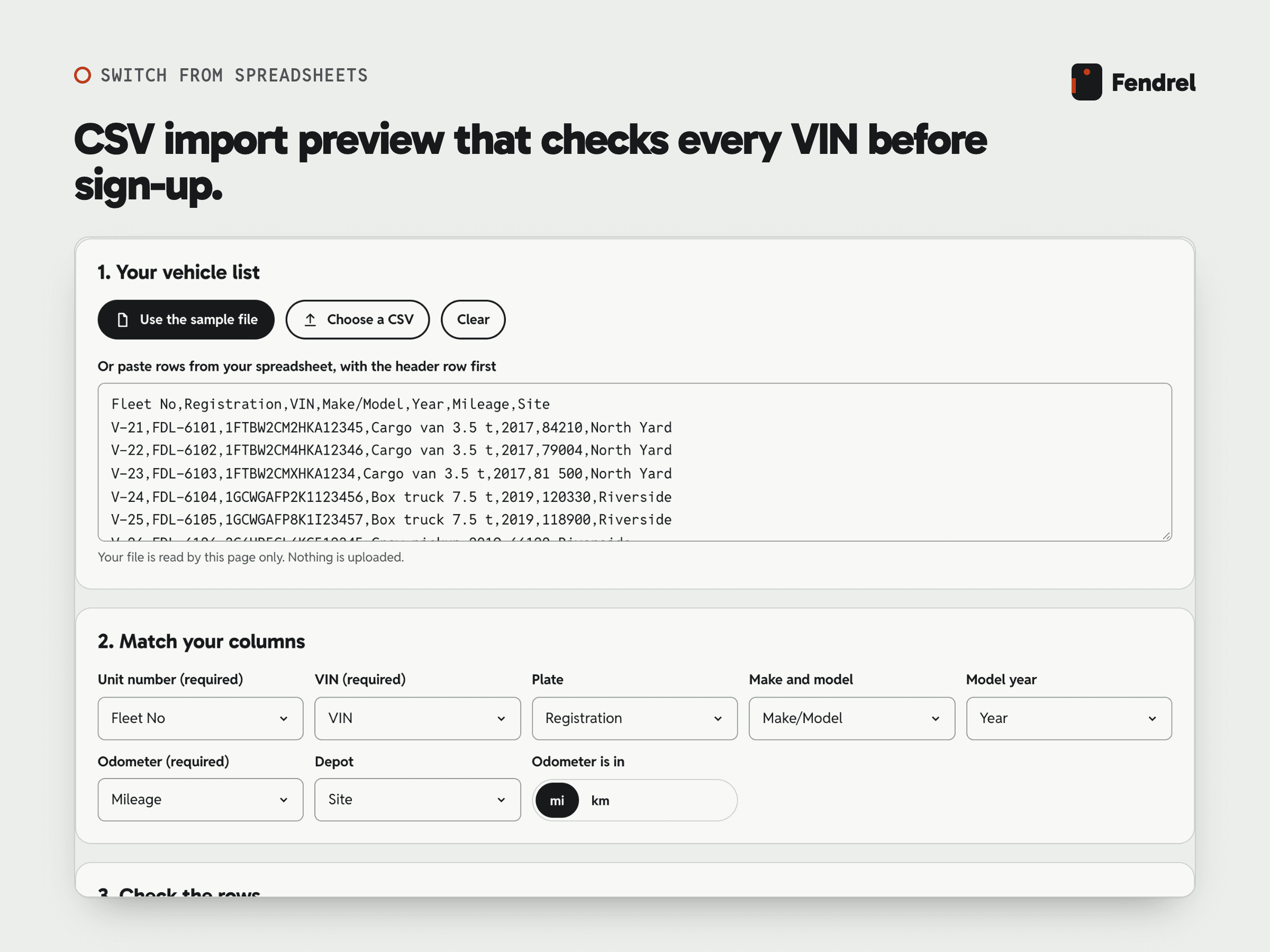
15 page designs · 20 demo pages + custom 404 - fendrel/ - fendrel/package.json - fendrel/package-lock.json - fendrel/README.md - fendrel/START-HERE.md - fendrel/BUYER-README.md - fendrel/BUYER-SCOPE.md - fendrel/LICENSE.txt - fendrel/ASSET-CREDITS.md - fendrel/Documentation/ - Fleet board (key-tag cabinet): 24-vehicle sample fleet as key tags with status by notch, pattern, icon and word; status filters with counts; selecting a tag shows plate, depot, odometer, engine hours, next service and its due point, last inspection and open work order; the reason text is computed from the vehicle's data and follows the km/mi choice. [included-working] - Kilometres or miles: One km/mi switch shared by every demo on a page; the visitor's choice is kept in the browser and applied after hydration. [included-working] - Driver inspection run-through: A phone-style checklist with pass/fail, readings and photo prompts; submitting with unanswered items is refused; a failed critical item reports the vehicle off the road; the result states that nothing was sent. [included-working] - Inspection checklist builder: Start from four templates (or ?template= in the URL), edit wording, answer type and critical flag, reorder with buttons, add and delete items, with a live phone preview; the draft is kept in the browser. [included-working] - Service rule builder: Combines distance, engine hours and a date into a whichever-comes-first rule with a due-soon threshold; previews next-due values and status for an editable sample vehicle; distance presets in miles and kilometres; saved rules are kept in the browser. [included-working] - Roles and permissions configurator: Five roles by ten permissions as checkboxes, a warning when no role can invite users, reset to defaults, kept in the browser. [included-working] - Per-unit price estimator: Unit count by slider or exact entry, monthly or annual billing, add-ons per unit or per depot, plan minimums and maximums, Enterprise hand-off above 500 units, per-unit effective price and yearly total; the estimate is mirrored into the URL and carried into the trial link. All figures are computed from config/product.ts. [included-working] - Grouped plan comparison: Six feature groups marking included, not included, add-on or a limit; a differences-only filter; on phones one plan at a time with a plan switch. [included-working] - Downtime cost calculator: Five visitor-entered inputs, outputs for days and cost off the road, cost avoided at the visitor's assumed share and the recommended plan's annual price, with the arithmetic printed; no benchmark is supplied. [included-working] - CSV import preview: Paste or choose a CSV (read in the browser, never uploaded), automatic column matching by header aliases, manual mapping, checks for required fields, VIN length, forbidden letters and North American check digit, duplicate unit numbers and VINs, model year and odometer format; counts, a row table and a downloadable problem report. Importing is a stated demo: nothing is created. [included-working] - Industry pages from data: Each entry in config/content.ts produces a page with its own pains, watch list, a runnable checklist that opens pre-loaded in the builder, a related story, metadata, a social image and a sitemap entry. [included-working] - Structured customer stories: Each story in config/content.ts produces a page with a facts sidebar, three results, challenge, change, quote and outcome, Article structured data and a fictional-content notice. [included-working] - Changelog with filter: Dated entries with New, Improved and Fixed tags and a working filter. [included-working] - SEO and structured data: Per-page title, description and canonical URL; Open Graph and Twitter images rendered at build time from the brand config; sitemap, robots and web manifest; Organization, WebSite, SoftwareApplication with one Offer per plan, FAQPage, Article and BreadcrumbList JSON-LD. [included-working] - Mobile navigation and conversion bar: Full-screen menu that locks page scroll, marks the current page, closes on Escape (returning focus) and after navigating; a phone-only Start trial / Book a demo bar after the first screen that never covers the footer. [included-working] - Motion with a reduced-motion branch: CSS-only reveals, tag entrance and state transitions, all switched off under prefers-reduced-motion with every element visible. [included-working]
- Fleet board (key-tag cabinet): 24-vehicle sample fleet as key tags with status by notch, pattern, icon and word; status filters with counts; selecting a tag shows plate, depot, odometer, engine hours, next service and its due point, last inspection and open work order; the reason text is computed from the vehicle's data and follows the km/mi choice. [included-working] - Kilometres or miles: One km/mi switch shared by every demo on a page; the visitor's choice is kept in the browser and applied after hydration. [included-working] - Driver inspection run-through: A phone-style checklist with pass/fail, readings and photo prompts; submitting with unanswered items is refused; a failed critical item reports the vehicle off the road; the result states that nothing was sent. [included-working] - Inspection checklist builder: Start from four templates (or ?template= in the URL), edit wording, answer type and critical flag, reorder with buttons, add and delete items, with a live phone preview; the draft is kept in the browser. [included-working] - Service rule builder: Combines distance, engine hours and a date into a whichever-comes-first rule with a due-soon threshold; previews next-due values and status for an editable sample vehicle; distance presets in miles and kilometres; saved rules are kept in the browser. [included-working] - Roles and permissions configurator: Five roles by ten permissions as checkboxes, a warning when no role can invite users, reset to defaults, kept in the browser. [included-working] - Per-unit price estimator: Unit count by slider or exact entry, monthly or annual billing, add-ons per unit or per depot, plan minimums and maximums, Enterprise hand-off above 500 units, per-unit effective price and yearly total; the estimate is mirrored into the URL and carried into the trial link. All figures are computed from config/product.ts. [included-working] - Grouped plan comparison: Six feature groups marking included, not included, add-on or a limit; a differences-only filter; on phones one plan at a time with a plan switch. [included-working] - Downtime cost calculator: Five visitor-entered inputs, outputs for days and cost off the road, cost avoided at the visitor's assumed share and the recommended plan's annual price, with the arithmetic printed; no benchmark is supplied. [included-working] - CSV import preview: Paste or choose a CSV (read in the browser, never uploaded), automatic column matching by header aliases, manual mapping, checks for required fields, VIN length, forbidden letters and North American check digit, duplicate unit numbers and VINs, model year and odometer format; counts, a row table and a downloadable problem report. Importing is a stated demo: nothing is created. [included-working] - Industry pages from data: Each entry in config/content.ts produces a page with its own pains, watch list, a runnable checklist that opens pre-loaded in the builder, a related story, metadata, a social image and a sitemap entry. [included-working] - Structured customer stories: Each story in config/content.ts produces a page with a facts sidebar, three results, challenge, change, quote and outcome, Article structured data and a fictional-content notice. [included-working] - Changelog with filter: Dated entries with New, Improved and Fixed tags and a working filter. [included-working] - SEO and structured data: Per-page title, description and canonical URL; Open Graph and Twitter images rendered at build time from the brand config; sitemap, robots and web manifest; Organization, WebSite, SoftwareApplication with one Offer per plan, FAQPage, Article and BreadcrumbList JSON-LD. [included-working] - Mobile navigation and conversion bar: Full-screen menu that locks page scroll, marks the current page, closes on Escape (returning focus) and after navigating; a phone-only Start trial / Book a demo bar after the first screen that never covers the footer. [included-working] - Motion with a reduced-motion branch: CSS-only reveals, tag entrance and state transitions, all switched off under prefers-reduced-motion with every element visible. [included-working]
- payments: No payment or subscription billing is connected; prices are configuration shown on the site. [not-included] - auth: No accounts or login. [not-included] - email: No email is sent by the template. [not-included] - cms: Content is TypeScript configuration in config/; no CMS is connected. [not-included] - booking: No calendar or booking service; the demo request form collects details only. [not-included] - orders: No order handling. [not-included] - backend: No database or application back end; the site is a static export and every demo runs on sample data in the browser. [not-included] - mlsCrm: The demo request and trial forms POST JSON to the endpoints you set (for example a CRM web-to-lead URL). [integration-required]
- Fendrel, its customers, figures, people and contact details are fictional sample content; the security, privacy and terms pages are template text and must be reviewed before launch. - No accounts, billing, database, telematics, email sending or CMS: the fleet board, builders, calculators and import preview run in the browser on sample data in config/. - The trial and demo forms send nothing until NEXT_PUBLIC_TRIAL_SIGNUP_ENDPOINT and NEXT_PUBLIC_DEMO_REQUEST_ENDPOINT are set; the demo notices stay on until they are set to null in config/brand.ts. - English demo content only; multilingual UI and RTL have not been validated.
- Install dependencies with npm install and run npm run dev. - Set the product name, company name, site URL, contact details, wordmark letter and colours in config/brand.ts, and set the demo notices to null. - Set what you bill for, the plans, minimums, add-ons, annual discount and trial in config/product.ts; the estimator, comparison table, calculator and structured data follow. - Replace the sample fleet, service types, checklist templates, roles and import columns in config/product.ts with your own product's data, or adapt the demos to your domain. - Edit navigation, industries, customer stories, changelog, FAQs, comparison and security copy in config/content.ts; fonts in app/fonts.ts and assets/fonts/. - Replace the photographs in public/images/ and their entries in config/media.ts, and the logo files listed in the README. - Optionally set NEXT_PUBLIC_DEMO_REQUEST_ENDPOINT and NEXT_PUBLIC_TRIAL_SIGNUP_ENDPOINT so the forms post; then run npm run build and deploy the static out/ folder.
- fendrel-v1.0.1.zip · version 1.0.1 Node.js 20.9 or newer; internet access for dependency installation. Open fendrel. Install: npm ci Build: npm run build Lockfile: package-lock.json. Package manager: npm.
LICENSE — Webloomery Template License v1.0 (effective 26 September 2026) - One purchase, one end product: build one website or application for yourself or for one client. - Modify the source for that end product. Its development, staging and production copies count as one end product. - Team members and contractors on that end product may use the files, only for it. - You may hand the finished project and the customized source it needs to that one client; the Template is then not reused for anyone else. - Each additional website, application, end product or client needs another purchase. - Not allowed: reselling, sharing, sublicensing or publicly publishing the Template source; turning it into a template, builder, code generator or reusable client-production system; reselling its components or assets separately. - Third-party fonts, photographs and other assets keep their own licenses, listed in ASSET-CREDITS.md. - Support and updates are separate from the license. The full license text is included as LICENSE.txt in the download and published at https://webloomery.com/legal/license.
- Installing and building the delivered package - Questions about the documented configuration files Excluded: Custom development and design changes; Connecting sign-up, CRM, billing or email services; Building the SaaS application itself; Legal review of the privacy and terms pages. No guaranteed response time. No fixed support period is promised.
8 licensed stock photographs (8 pexels). Original key-tag mark, favicon, interface icons and touch icons; social images rendered at build time from the template's own type, colours and mark. Software and fonts retain their own licenses. Read ASSET-CREDITS.md. Third-party materials retain their own licenses. Demo brands and content must be replaced before launch.
Designed as a credible product experience—not a set of disconnected sections. Every layout is ready to adapt while preserving the logic that makes it feel intentional.
Inside the build
Pages included
Technology
Next.js 16 · React 19 · TypeScript · Static export
Compatibility
Modern evergreen browsers. Responsive from compact mobile screens through wide desktop layouts.
Support & docs
README with an edit map for the three config files, START-HERE, buyer scope notes, ASSET-CREDITS.md and a per-photograph media manifest. Easy to rebrand — centralized brand, colors, typography and site metadata. Package-specific setup guidance and release notes are provided.
Before you buy
Compare the demo, included scope and integration work with your launch plan.
Read the Next.js website template checklistBuyer support
Learn how to install, customize and deploy this template step by step.
Watch on YouTubeTutorial duration · 12:54
Use it with confidence
Webloomery Template License v1.0 — one purchase covers one end product for you or one client. The full text ships as LICENSE.txt.
Read the licenseKeep exploring
